
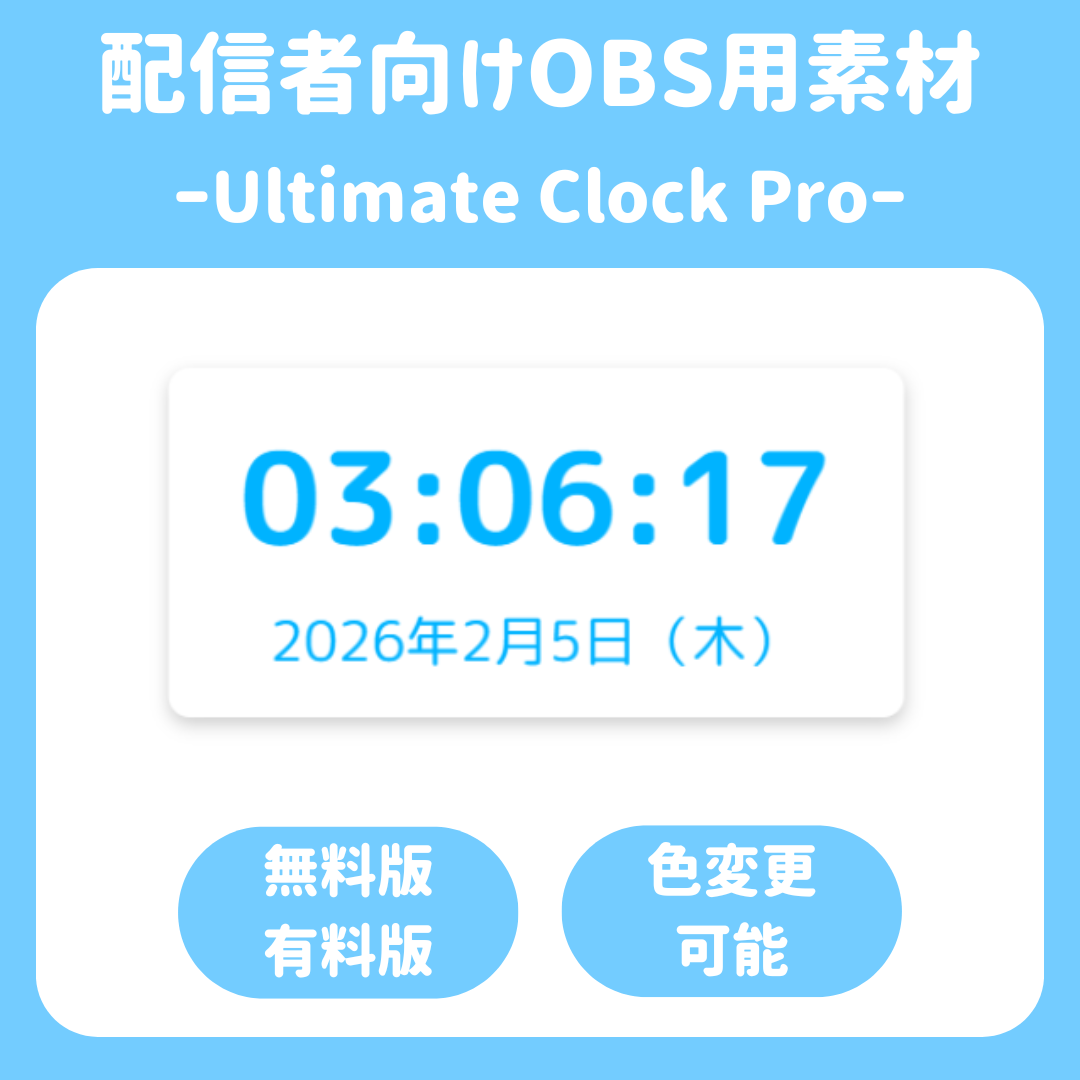
Ultimate Clock Pro
⏰ Ultimate Clock Pro
✨ Make Your Stream Screen Dramatically More Stylish ✨
“I want to customize the clock on my stream screen more…”
“But the settings look complicated…”
This clock, designed exclusively for the OBS browser source, solves these concerns for streamers.
Fully compatible with OBS’s “Interactive Controls”! You can customize the design to your liking in real time right on your stream screen. 🎨
🌟 Key Features of This Product!
🚀 Fully OBS-Compatible UI
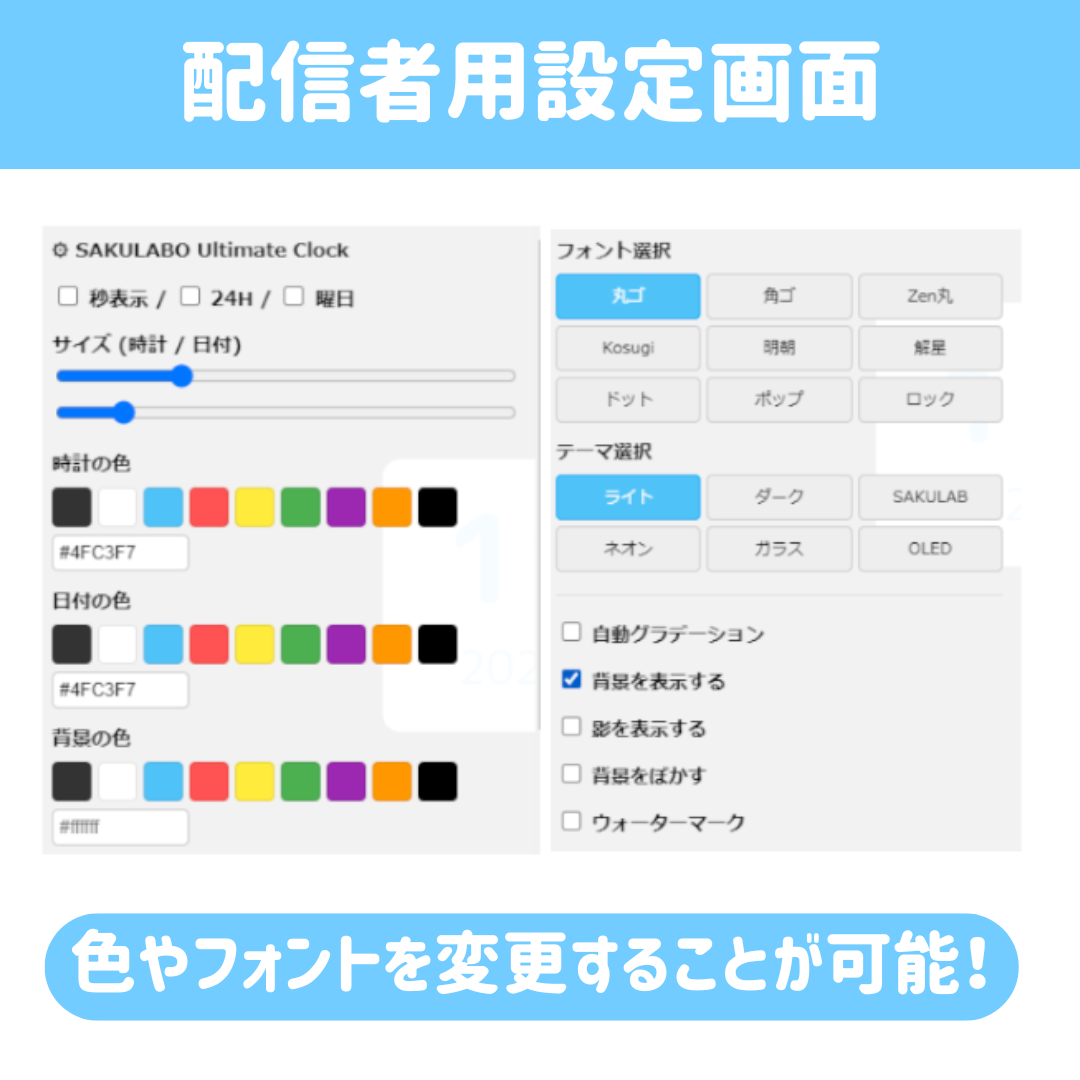
No right-clicking required! Use the “⚙ button” in the top-left corner to reliably open and close the settings screen.
Designed for stress-free operation via OBS’s “Interactive” screen.
🌈 Intuitive Color Palette
We’ve done away with the standard color picker that doesn’t open in OBS and instead included a palette where you can select colors with a single click. Professional-grade color specification using hex codes is also supported.
💡 Unparalleled Customization
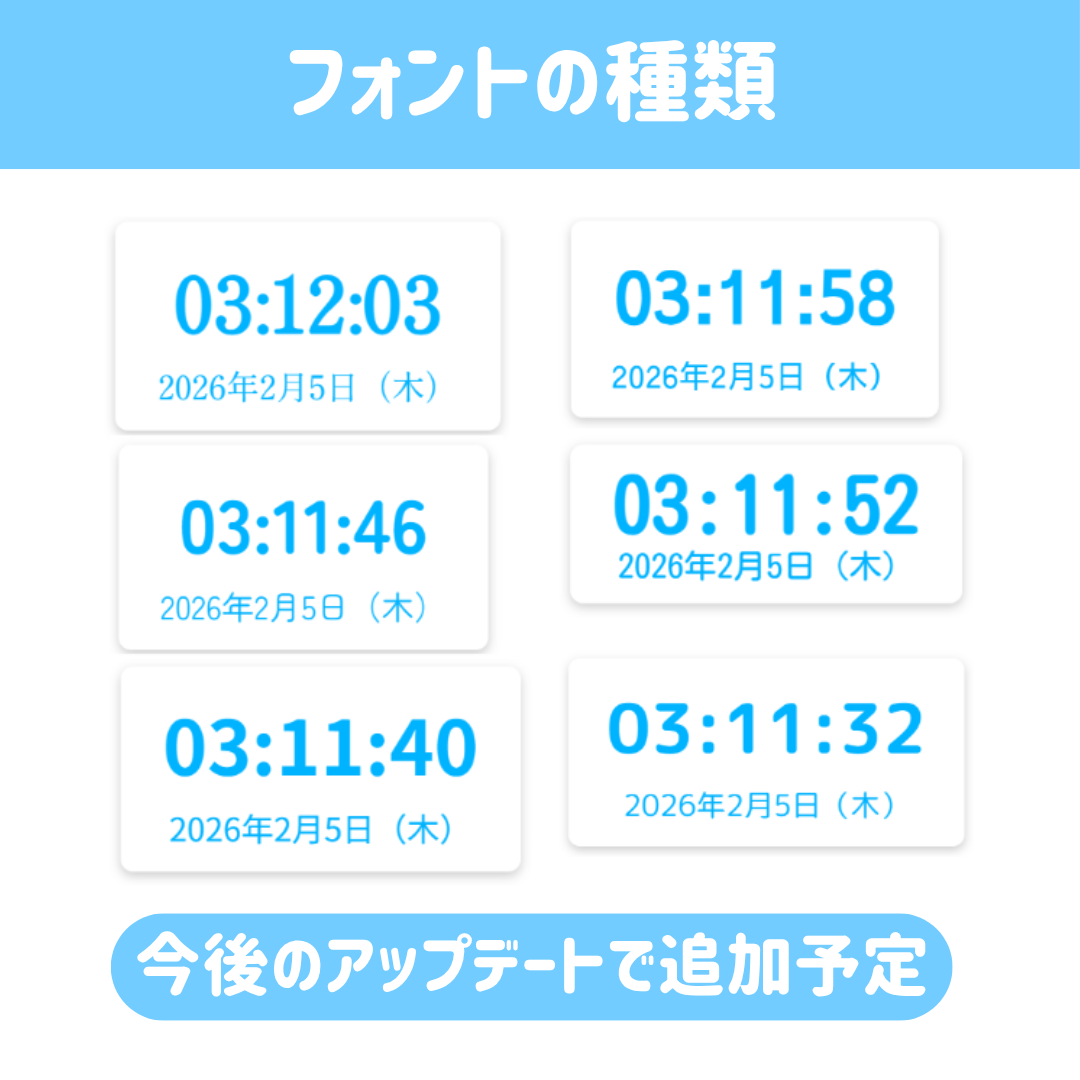
Size, color, font, background… everything is fully customizable!
We also offer a wide variety of themes—including neon, glass, and OLED—to match your streaming style.
💎 Product Lineup
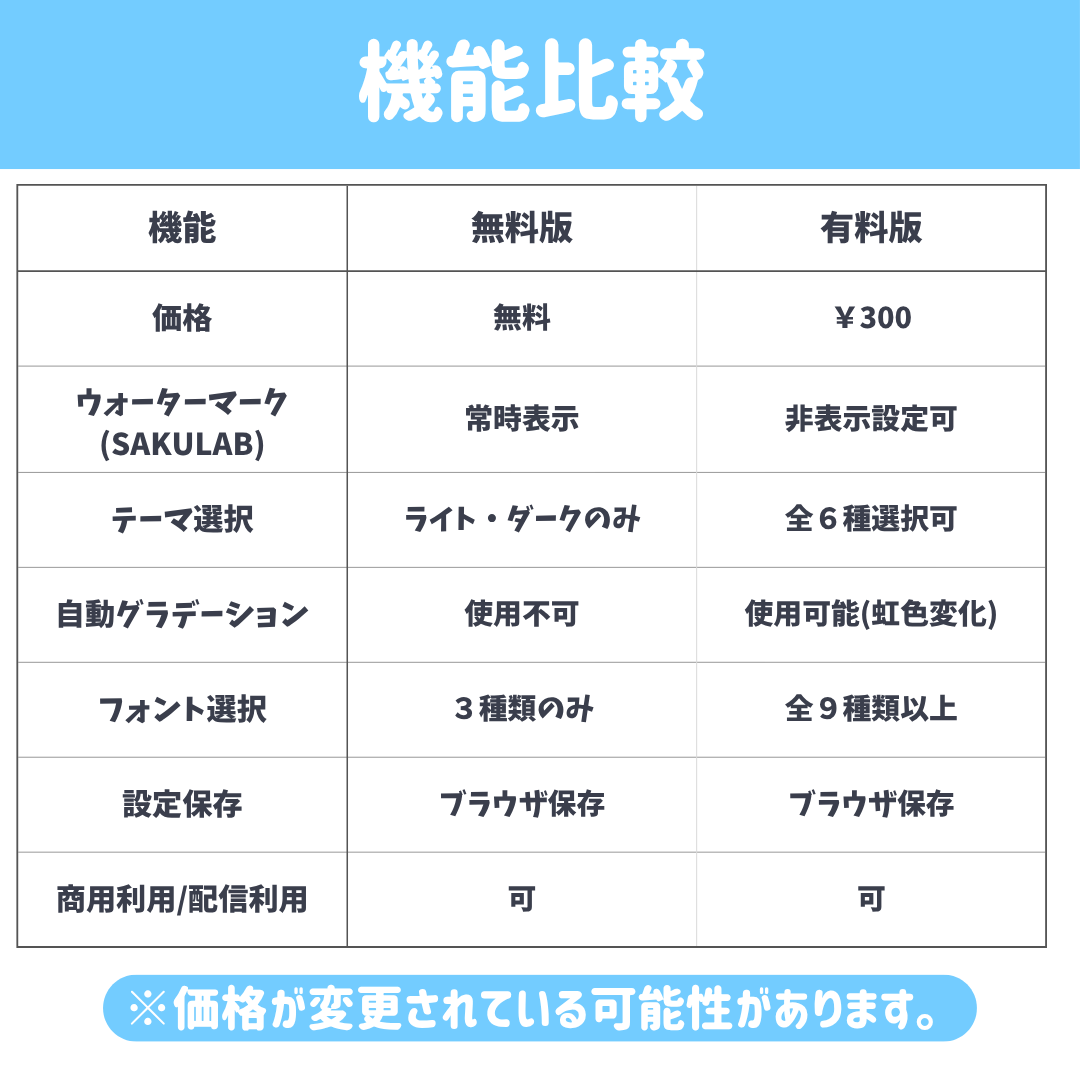
【🎁 Free Version (¥0)】
A free version packed with all the basic features!
✅ Seconds display / 24-hour display / Day of the week display
✅ Size adjustment / Custom color settings
✅ Customizable background, shadows, and blur effects
⚠️ A “SAKULAB” watermark appears in the center of the screen.
[👑 Pro Version (¥350)]
This is the full version with all restrictions removed! For those who want to take their customization to the next level.
✅ Option to hide the watermark
✅ “Auto Gradient” feature (emotional rainbow color changes!)
✅ All themes unlocked (Neon, Glass, OLED, SAKULAB themes)
✅ All fonts unlocked (9 types total)
🛠 Installation & Usage Guide
1️⃣ Drag and drop the HTML file into OBS!
2️⃣ Right-click the source and open “Interaction.”
3️⃣ Click the [⚙] button in the top-left corner to display the menu.
4️⃣ Tinker with the sliders and buttons to customize it to your liking!
5️⃣ When you’re done, click [✕] to close the menu and you’re all set!
⚠️ Important Notes
- If your settings aren’t saved
⇒ Uncheck “Shut down source when not visible” in OBS’s source properties. - Internet Connection
⇒ This product uses Google Fonts, so an internet connection is required.
✨In Closing
This tool was created with a focus on ease of use and readability.
Please let us know if you have any feedback or requests.
We plan to continue releasing updates.
Thank you for your support.
■ Published by: SAKULAB
■ Feel free to send any bug reports or requests via BOOTH messages!
Update Notice
February 16, 2026
■ Update Details
[No More Right-Click] We’ve eliminated the unreliable right-click operation. You can now reliably open settings using the ⚙️ button on the screen.
[Full OBS Compatibility UI] We’ve removed “drop-down menus” and “color pickers” that wouldn’t open in OBS, and introduced “button-based selection” and “color palettes” that let you choose with a single click.
[Display Bug Fixes] We’ve fixed all previous critical issues, such as “the settings screen disappearing and not coming back” and “the watermark not disappearing.”
[Increased Flexibility] Direct input of hex codes (e.g., #ffffff) is now supported, allowing you to set colors exactly to match your brand colors.
[Stability Improvements] We’ve prevented color distortion when switching themes and improved the system to maintain optimal visibility at all times.
February 18, 2026
■ Update Details
[Increased Flexibility] You can now adjust the background transparency.
[Mode Removal] The “Glass Mode” for theme selection has been removed.