
DashOverlay
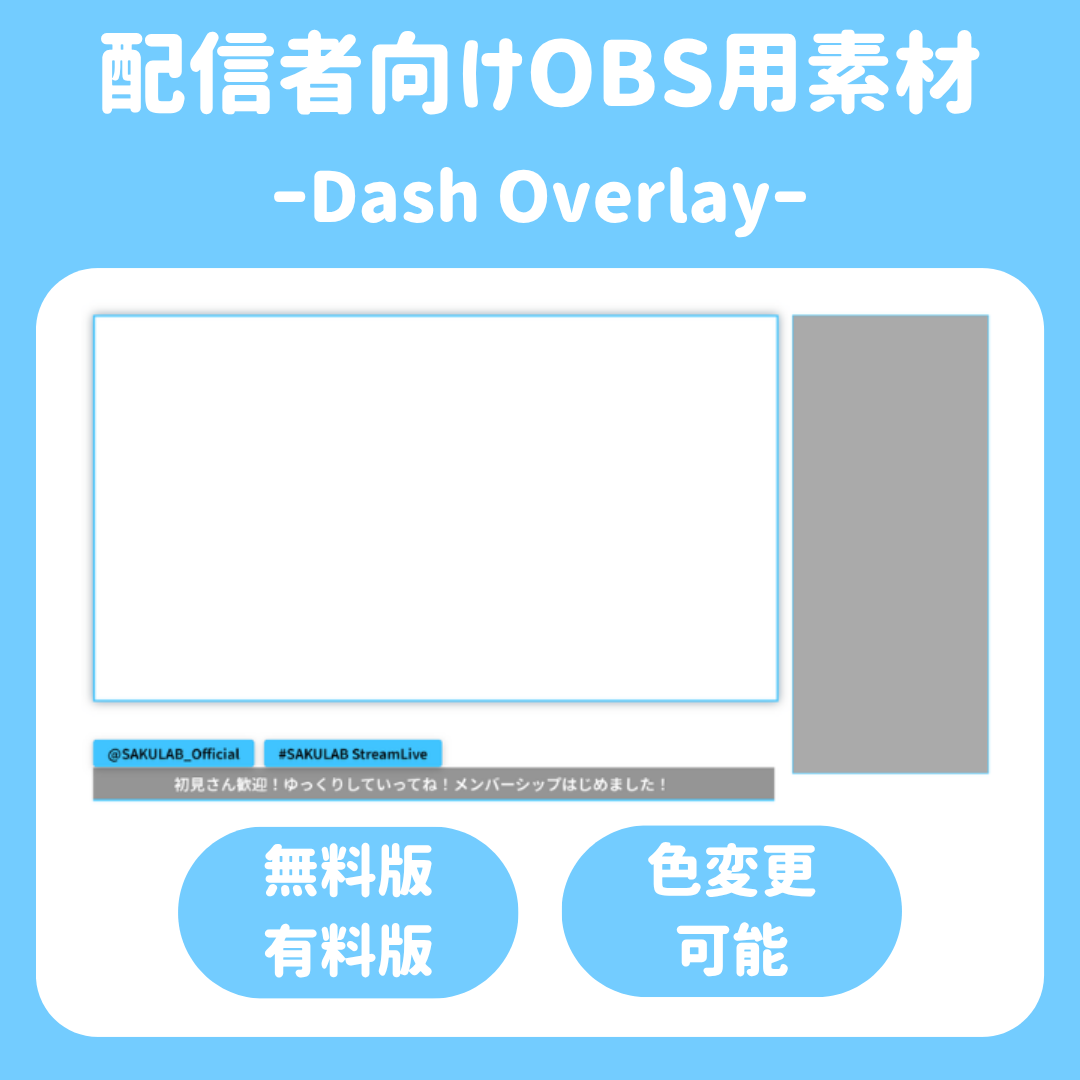
Dash Overlay
“Make your live stream smarter and more personalized.”
“SAKULAB DashOverlay” is a high-performance live stream caption and overlay tool that utilizes browser source code.
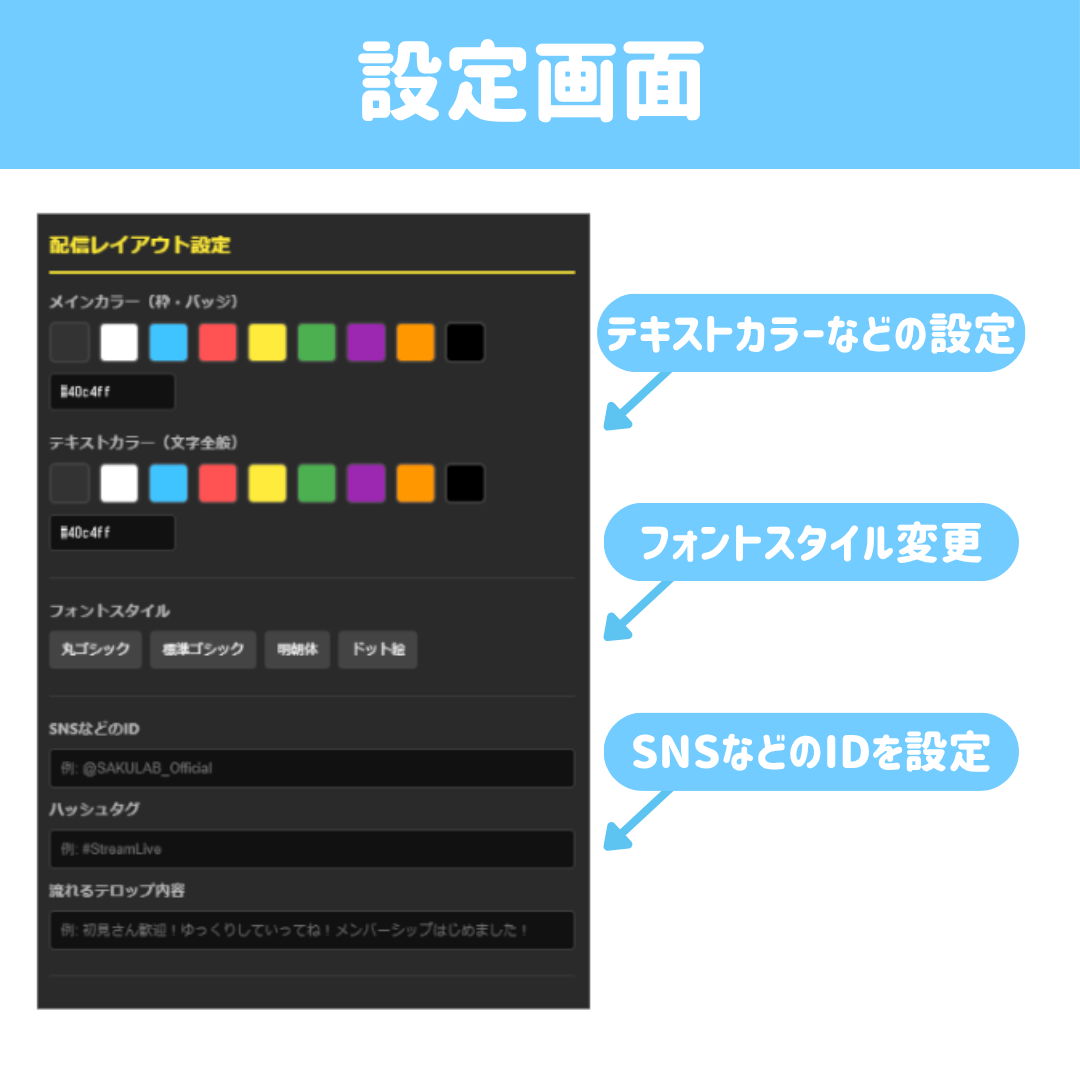
Since the controller (settings screen) and the overlay itself are synchronized in separate windows, you can freely edit text and colors in real time during a stream.
💡 Key Features
- Real-time Synchronization: Changes made in the settings browser are instantly reflected on the stream screen.
- Easy Customization: Switch colors and fonts with a single click.
- OBS Optimization: Lightweight design tailored for streamers. Just load it as a browser source, and you’re ready to go.
📦 Two Editions to Choose From
■ Lite Version (Free)
This starter plan is ideal for those who want to try it out first or for whom simple features are sufficient.
- Color Settings: Choose from 3 preset colors.
- Font Settings: Choose from 2 carefully selected fonts.
- Text Overlay: Limited to a maximum of 20 characters.
- Social Media & Hashtags: You can edit the content.
- Other: An advertisement for the sales page is displayed at the bottom of the settings screen.
■ PRO Version (Paid)
This full-featured plan is for users who want to customize their broadcast design and freely utilize all features.
- Color Settings: Supports hexadecimal input. You can reproduce your brand colors with infinite possibilities.
- Text Color: You can freely change not only the background color but also the text color.
- Font Settings: Supports switching between a wide variety of fonts using Google Fonts. (Scheduled to be added in future updates)
- Caption Content: No character limit. You can freely display even long passages of text.
- Social Media & Hashtags: Freely customize and display your own IDs and hashtags.
- Other: No ads. The settings screen is clean and easy to use.
🛠 System Requirements
- Streaming software with browser source functionality, such as OBS Studio
- Latest versions of Google Chrome / Microsoft Edge (for the settings screen)
📄 Terms of Use (Excerpt)
- Commercial Use Allowed: There are no restrictions on use with monetized channels.
- Credit Attribution Optional: If you choose to provide credit, please list “SAKULAB.”
- Prohibited Actions: Redistribution, resale, claiming the work as your own, or use that violates public order and morals.
- Customization: You are free to modify the code within the scope of personal use.
*Be sure to review the included “Terms of Use.txt” file for detailed terms of use.
📧 Support
For inquiries regarding installation or bugs, please contact us via BOOTH messages or our official LINE account.
◆ Credit Attribution
Please credit “SAKULAB” or “Materials provided by: SAKULAB” to the extent possible. (Links are optional.)