
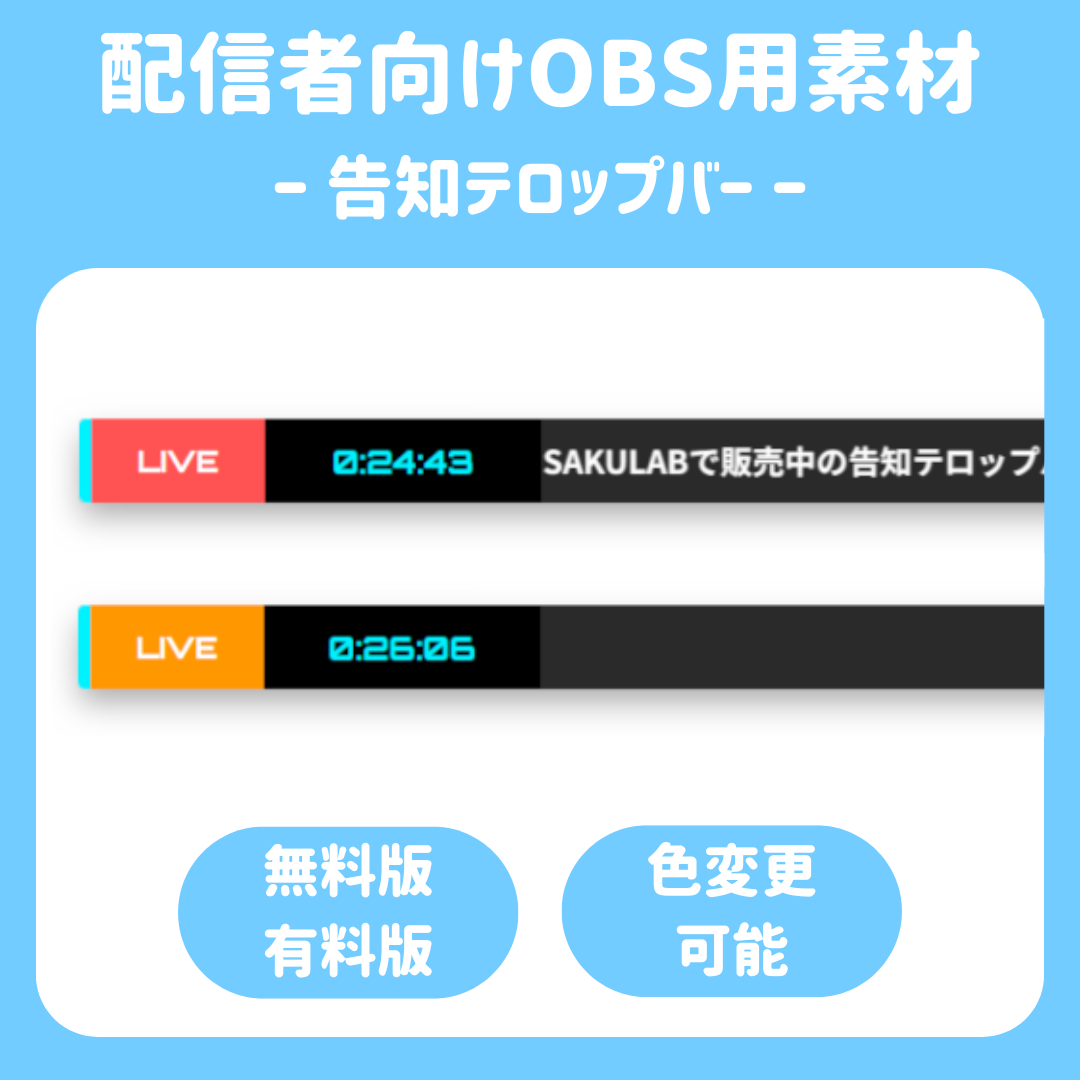

Announcement Text Bar
✨️ Announcement Text Bar
⚙️ Customize on the fly without pausing your stream
“Oh, I need to change the announcement.” “I’m not really in the mood for blue right now…”
When moments like these come up, do you find yourself going out of your way to open the source properties?
With this Announcement Text Bar, all you have to do is press the ⚙️ button on the broadcast screen.
You can update the content on the fly without showing viewers the settings screen.
✨ Here’s what makes this asset so great!
■ Intuitive Settings Menu
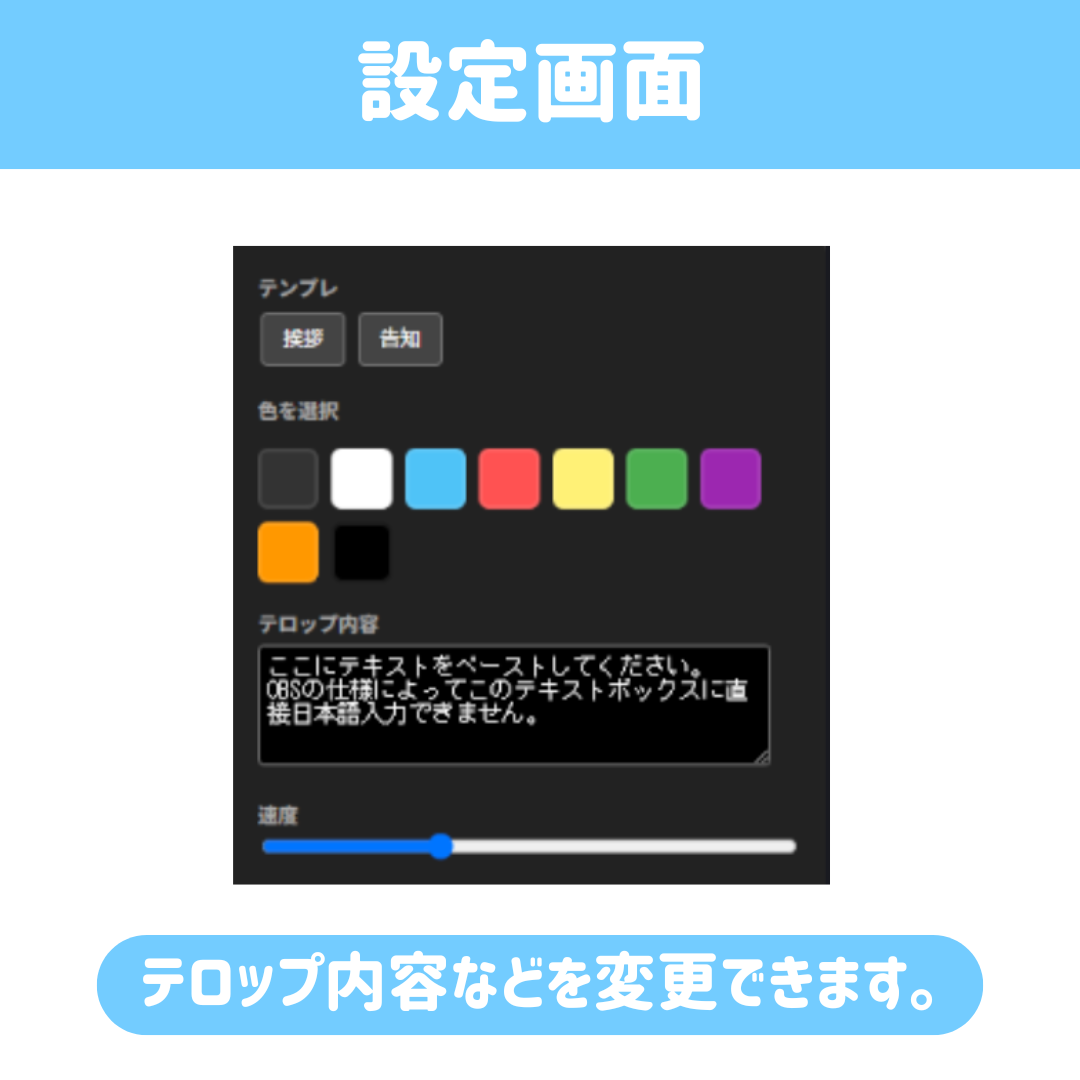
Click the ⚙️ button to the left of the bar to bring up the settings panel. You can instantly change the text content, scrolling speed, and theme color.
■ A 9-color palette you can select with a single tap
No need to enter tedious color codes (like #ffffff) at all. Just choose your favorite color from the image palette, and the “LIVE” sign’s color will change.
■ Precision Design with Zero “Jerkiness”
No more stress from the bar’s length flickering every time the clock changes. Thanks to the fixed-width design, it maintains a beautiful layout at any time of day.
■ High-Quality, Crisp Text
Native support for Full HD (1920×1080). We’ve minimized blurring caused by stretching to achieve sharp, easy-to-read text quality—even when viewed on a smartphone.
🎁 Choose from 2 Plans
👑 Paid Version (Pro Edition)
🎨 Change colors and scroll speed
⭐ No character limit
💖 Support SAKULAB’s activities!
⚪ Free Edition
🛠 20-character limit, fixed speed
🟡 Recommended for trying it out!
⚫ Features that are grayed out are available only in the paid version.
🚀 Setup takes just 30 seconds
1. Drag and drop the downloaded file into OBS!
2. In the source properties, set the width to 1200 and the height to 600.
3. Open “Interaction,” enter your message, and you’re done.
⚠️ Note ⚠️
Due to the specifications of OBS’s “Interaction” feature, you cannot enter Japanese text directly within the interaction.
Therefore, please copy the text you want to display from a note-taking app or similar tool and paste it into the interaction.
📦 Product Contents
- Complete set of HTML files (includes on-screen text, clock, and built-in settings)
- README
- Terms of Use
⚠️ Terms of Use
Commercial Use: OK (streaming, videos, etc.)
Modification: OK
Redistribution/Resale: Not allowed
Credit Attribution: Not required (but we’d appreciate it if you included one!)